Tables, waiters and the kitchen, on your own network.
Turn on restaurant mode and one device becomes the cashier. Waiters take orders at the table on their phones, tickets print in the kitchen, and only the cashier takes payment. It all runs on your restaurant’s Wi-Fi, so an internet outage does not stop service.
Restaurant mode is in the same app, at no extra cost. Turn it on in Admin → Tables.
From the table to the bill
- 1Waiter · phone
Opens the table and sends the order. The phone talks to the cashier over the restaurant’s Wi-Fi.
- 2Kitchen · printer
The ticket prints at the kitchen or bar printer, depending on the category of each item.
- 3Cashier · tablet
Prints the pre-bill, then takes the payment: in full, split equally, or split by item.
- 4Owner · report
Table sales go into the day’s report like every other sale.
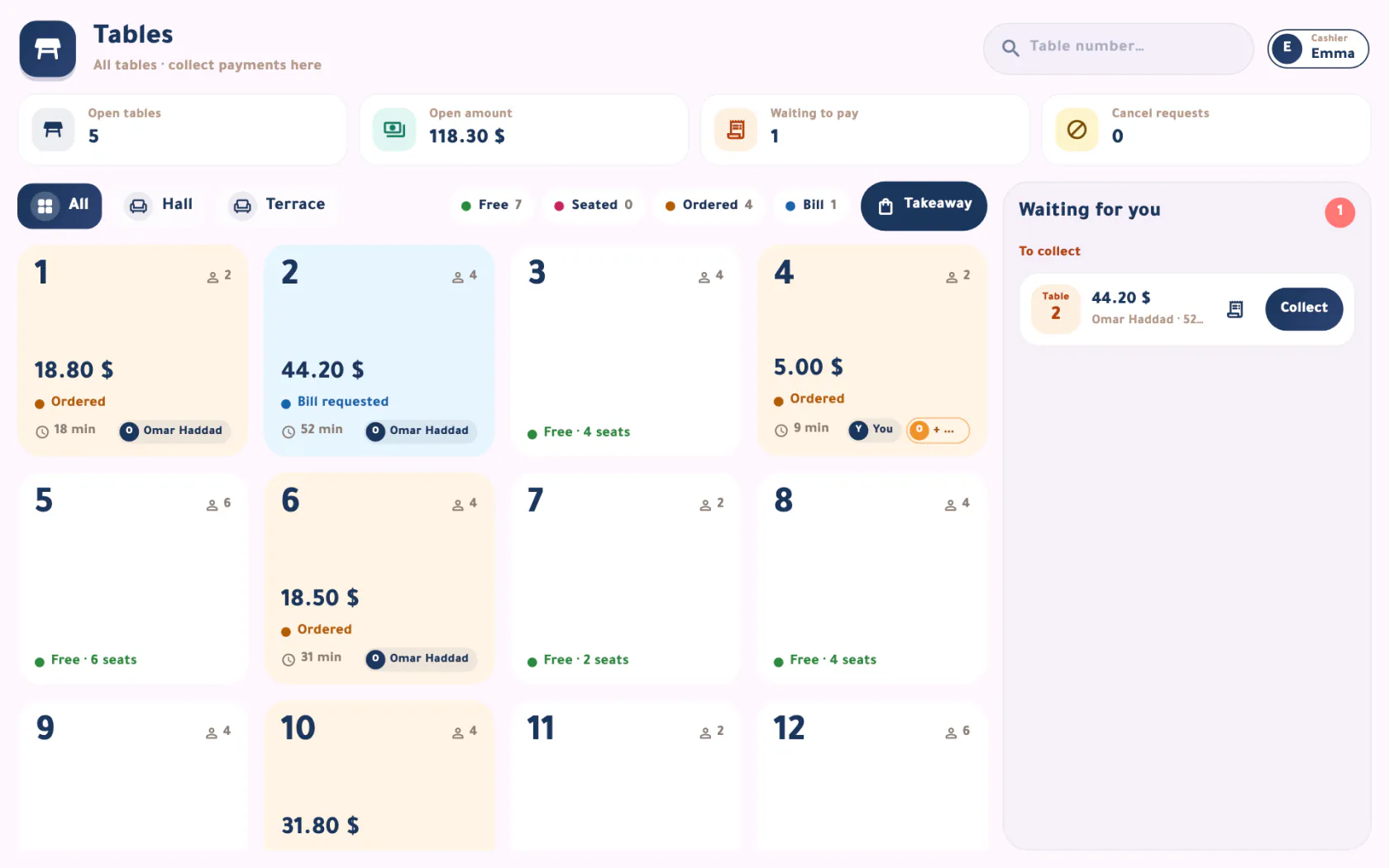
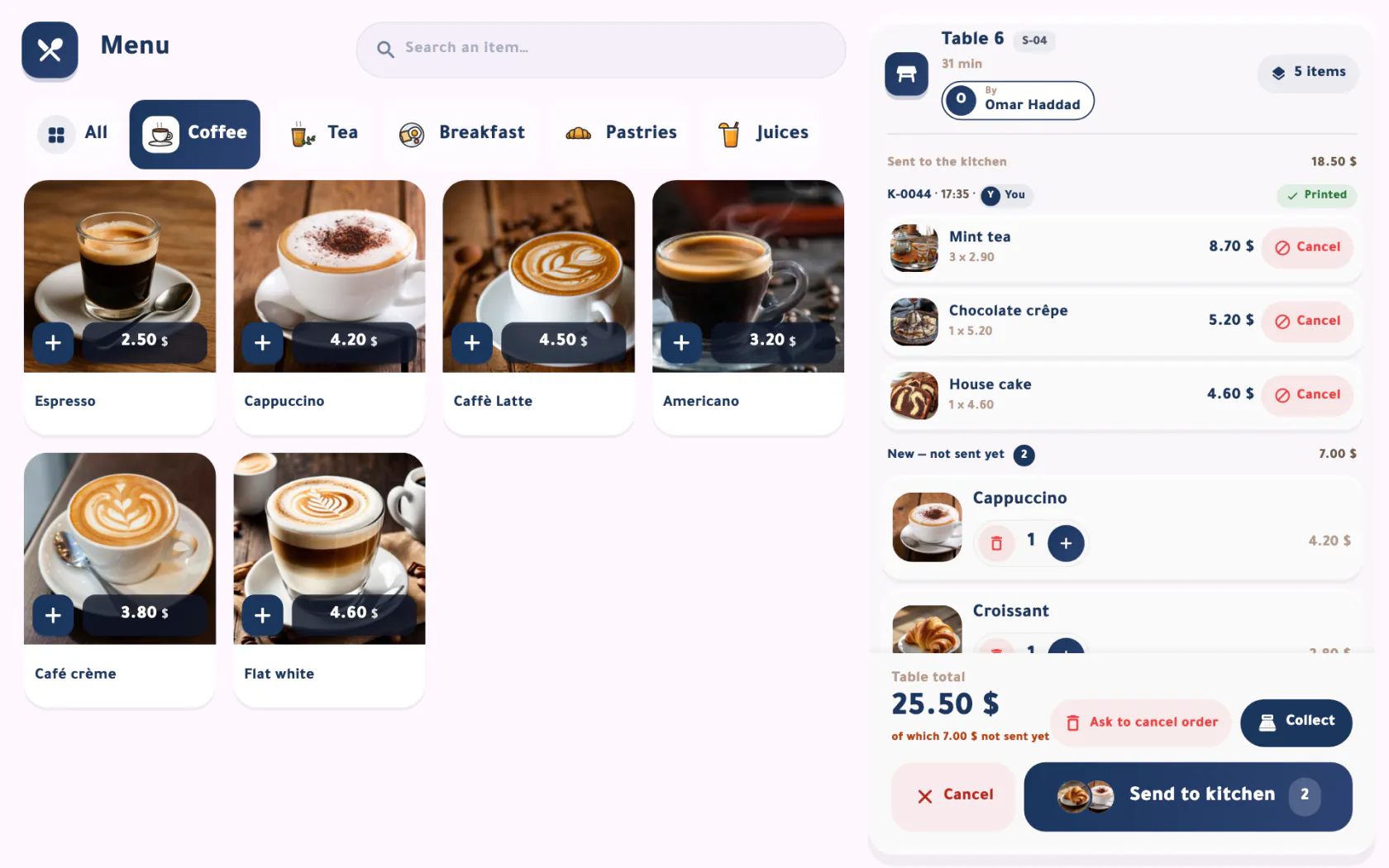
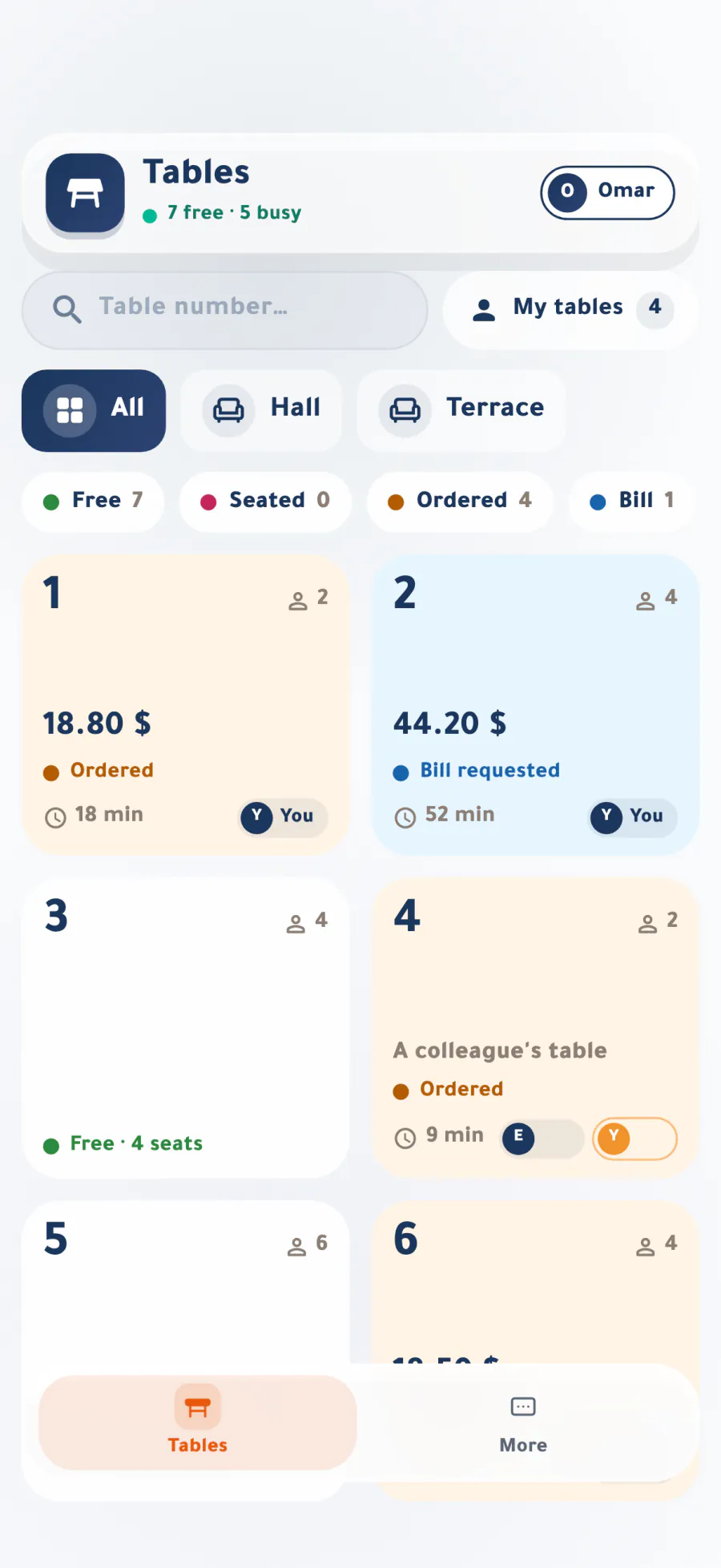
The same table, on the waiter’s phone and at the cashier.
The order goes from the phone to the cashier over your restaurant’s Wi-Fi. No internet needed.
The waiter opens the table and sends the order.
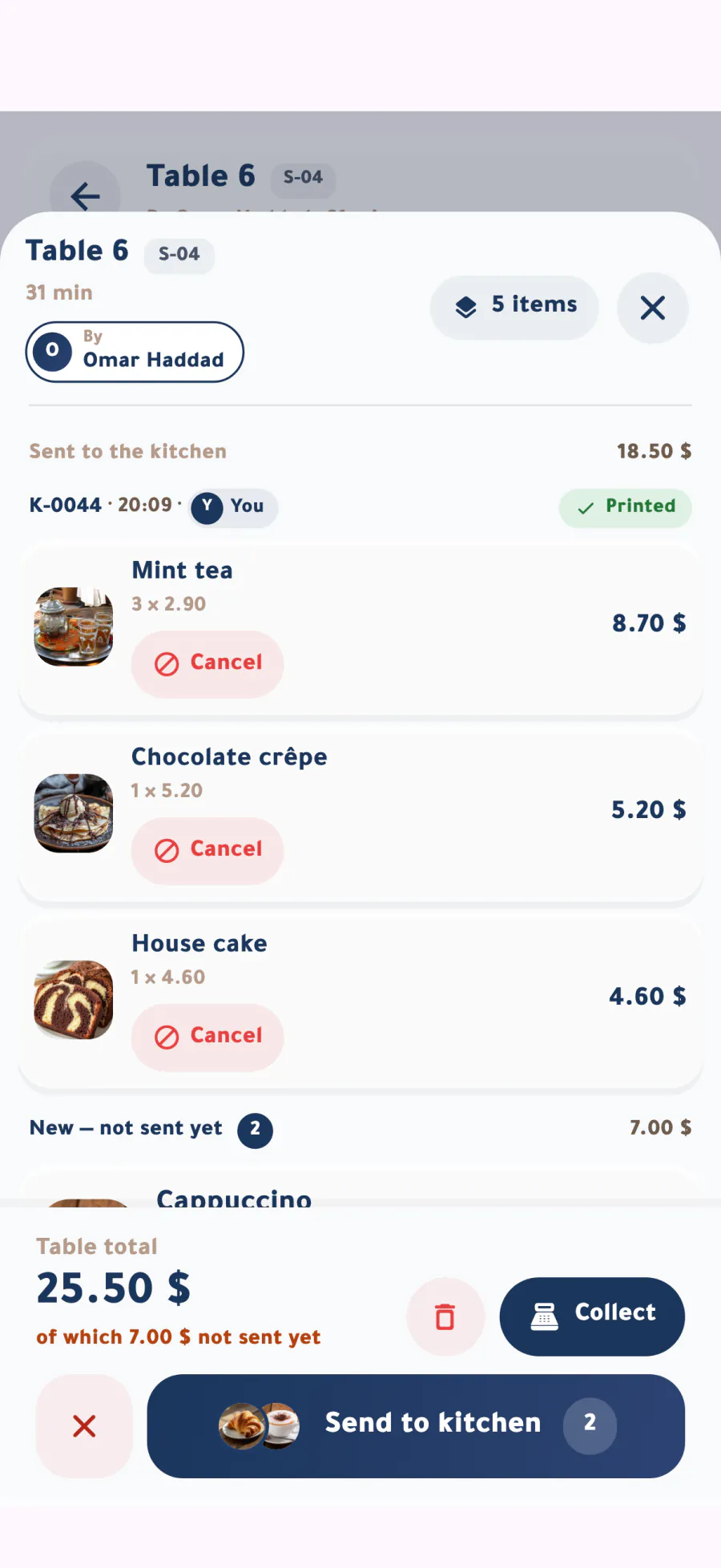
The order lands on the same table, ready to send to the kitchen and to take payment.
What restaurant mode includes
Zones and tables
Name your zones (terrace, inside, upstairs) and number the tables in each. The floor shows each table as free, seated, ordered or waiting for the bill. After payment a table shows as clearing until you mark it free, and a reserved table shows as reserved.
Waiter phones
Link a phone once by scanning a QR code or typing a 6-digit code. A linked waiter phone does not need its own license. Waiter phones are Android phones.
Kitchen and bar tickets
Send each category to its own printer, with a backup printer and extra copies if you want them. A ticket that fails to print is retried automatically.
Pre-bill and split bill
Print the pre-bill, then take the table’s payment on one screen: together, in equal parts, or by each person’s items.
Move, merge, hand over
Move a table, merge two tables, move items between tables, or hand a table to another waiter.
Voids under control
Waiters request a void and the cashier decides. Above an amount you set, a manager PIN is needed.
Reserved tables
Reserve a free table from the hall and it shows as reserved, so nobody seats other guests there. Cancel the booking in one tap.
Stock held for open tables
Items on an open table are held in stock and deducted when the table pays. The cashier is warned before sending more than what is left.
Loyalty at the table
Add the customer to the table and their stamps or points count on the bill, with a ready reward used in one tap.
No internet? Service goes on.
Waiter phones and the cashier talk over your local network only, not over the internet. If a phone loses Wi-Fi for a moment, its order stays on the phone and is sent once the cashier is reachable again.
An Android phone can be the cashier too
If you have no tablet, an Android phone can host the tables and take payments. Keep it charging and on the restaurant’s Wi-Fi.
Is it a fit for your restaurant?
Good fit
- Table service with waiters
- One cashier who takes all payments
- Wi-Fi in the restaurant, internet not always reliable
- You would rather own the software than rent it
Not a fit today
- Guests paying at the table on the waiter’s phone
- Online ordering or a QR menu
- A kitchen display screen (tickets are printed)
- Two or more cashier devices in one restaurant
Questions from restaurant owners
Do waiter phones need internet?
No. They connect to the cashier over the restaurant’s Wi-Fi. Mobile data is not used for orders.
Does each waiter phone need a license?
No. The license is for the cashier device. Phones linked to it as waiters do not need their own.
Can waiters use an iPhone?
Not at the moment. The waiter app runs on Android phones. On Apple devices, Cafizio runs on iPad as the cashier.
What happens if the kitchen printer is off?
Cafizio retries the ticket automatically. Staff can also retry it, send it to another station, or mark it as delivered by hand.
Can I go back to quick counter sales?
Yes. Switch the mode in Admin → Tables once no table is open.
Test it during a real service.
15 days, every feature, no card. Link one waiter phone and your kitchen printer, then decide.